Compliance as Code: Auditing Large-Scale GCP Environments With InSpec/CINC
Auditing a cloud environment is a complex task. Auditing a large-scale cloud environment, potentially spanning hundreds or thousands of projects with even more resources, can feel impossible. Traditional manual audits are slow, error-prone, and obsolete the moment they’re completed. This is where the “Compliance as Code” movement provides a powerful solution, and one of my favorite tools for this is InSpec.
In this post, I’ll walk through the challenges of auditing Google Cloud Platform (GCP) at scale, how InSpec helps solve them, and how you can use an open-source InSpec profile I maintain to get started today.
What is InSpec?
For those new to it, InSpec is an open-source framework from Progress (formerly Chef) for testing and auditing your applications and infrastructure. It’s built on a human-readable Domain Specific Language (DSL) based in Ruby. You simply write “controls” that describe the desired state of your system. For example, to check if a public bucket exists, you might write something like this:
| |
This code is easy to read, version-controllable (hello, GitOps!), and, most importantly, executable. InSpec can connect to your target (via SSH or, in our case, GCP APIs) and run these checks, giving you a detailed report of what’s compliant and what isn’t. My preferred way of executing the controls is through the GCP Cloud Shell (more on that later).
Auditing GCP at Scale Presents a Massive Challenge
Auditing a single GCP project is manageable. Auditing an entire GCP organization with hundreds of projects, each with its own services, IAM policies, GKE clusters, and storage buckets, presents several massive challenges:
- Massive Scale: You can’t manually click through the console of 500 projects to check for public storage buckets or overly permissive IAM roles.
- Configuration Drift: The cloud is dynamic. A developer might spin up a test VM with an open firewall, or a service account might be given project/owner “just for a minute.” A quarterly audit will miss all of this.
- Consistency: How do you ensure that every single project adheres to the same baseline, like the CIS (Center for Internet Security) Benchmark?
- Reporting and Documentation: How do you aggregate the findings from all these projects into a single, actionable report for your security and engineering teams that includes all relevant details, such as project name, resource identifier and expected value?
- Integration: Traditional third-party Continuous Controls Monitoring (CCM) solutions are fairly complex to integrate and might not be an option for a one-off audit of a customer’s environment.
InSpec + a CIS Profile as a Possible Solution
This is where InSpec comes into play. By treating our compliance rules as code, we can automate the entire audit process. The benefits are immediate:
- Repeatable & Automated: Run your audit once, on a schedule (e.g., nightly) or trigger it from a CI/CD pipeline.
- Version-Controlled: Your compliance policy lives in Git. Changes are reviewed, approved, and auditable.
- Fast Feedback: Detect configuration drift within hours, not months.
- Extensible: InSpec has a rich resource pack for GCP (inspec-gcp) that provides the building blocks we can reuse in our compliance benchmark. To make this even easier, I’ve created an updated InSpec GCP CIS Benchmark based on Google’s GCP CIS Benchmark Version 1.2.0. This profile translates the latest GCP CIS Benchmark 4.0.0 (a PDF with hundreds of pages) into executable InSpec code. It provides a ready-to-use test suite that checks your projects against common security best practices for IAM, logging, networking, GKE, and more.
➡️ GitHub Repo: https://github.com/lxndrblz/inspec-gcp-cis-benchmark
Demo Time
In the following example, I have created a storage bucket in my lab environment with public access enabled:
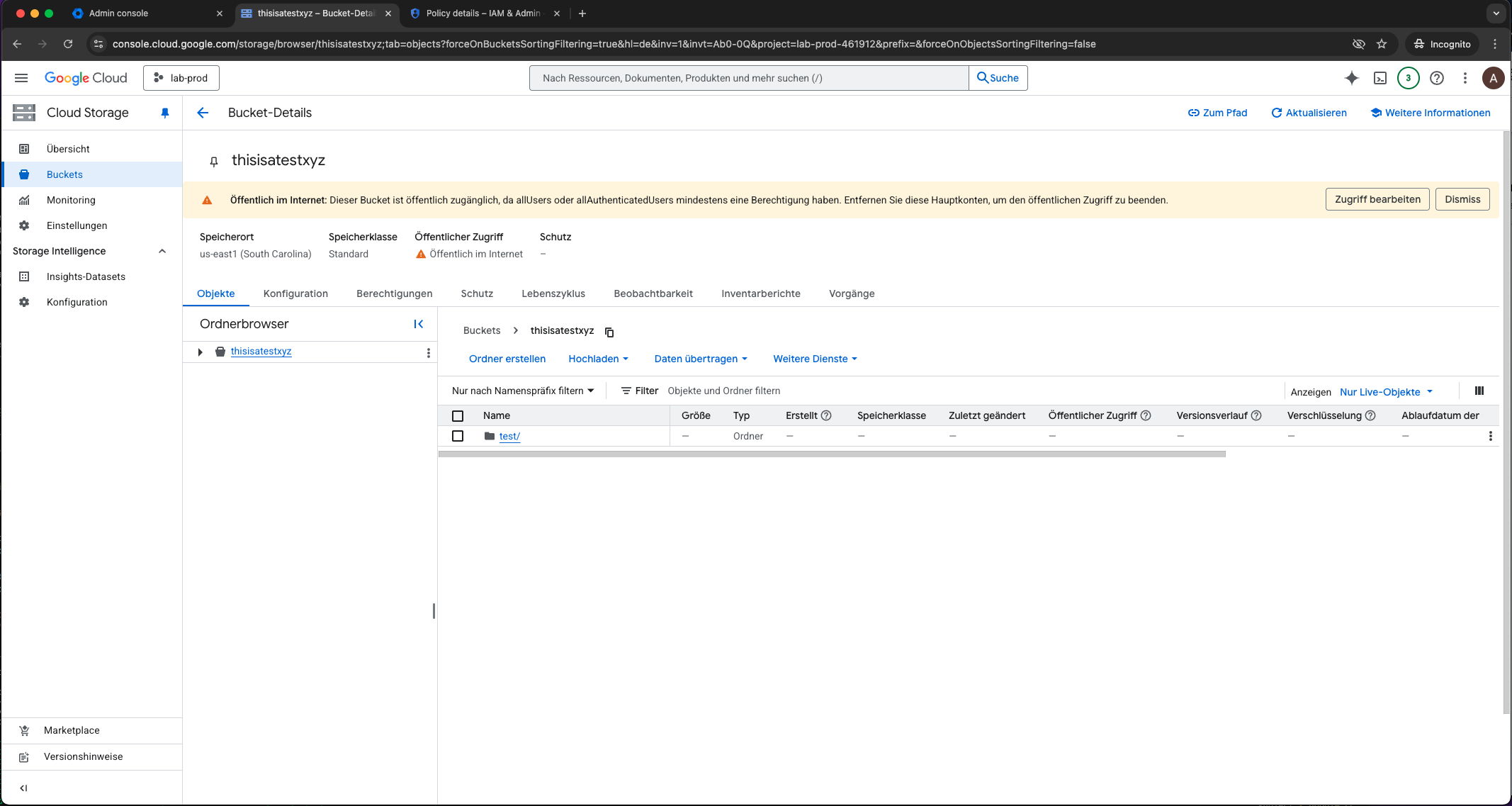
Public GCP bucket in lab environment
If we now execute our controls, you’ll see that a failed control and a red warning are reported in the console for the bucket named “thisisatestxyz”. We have successfully identified the misconfiguration. If there were more buckets in our project, multiple compliance failures would get reported.
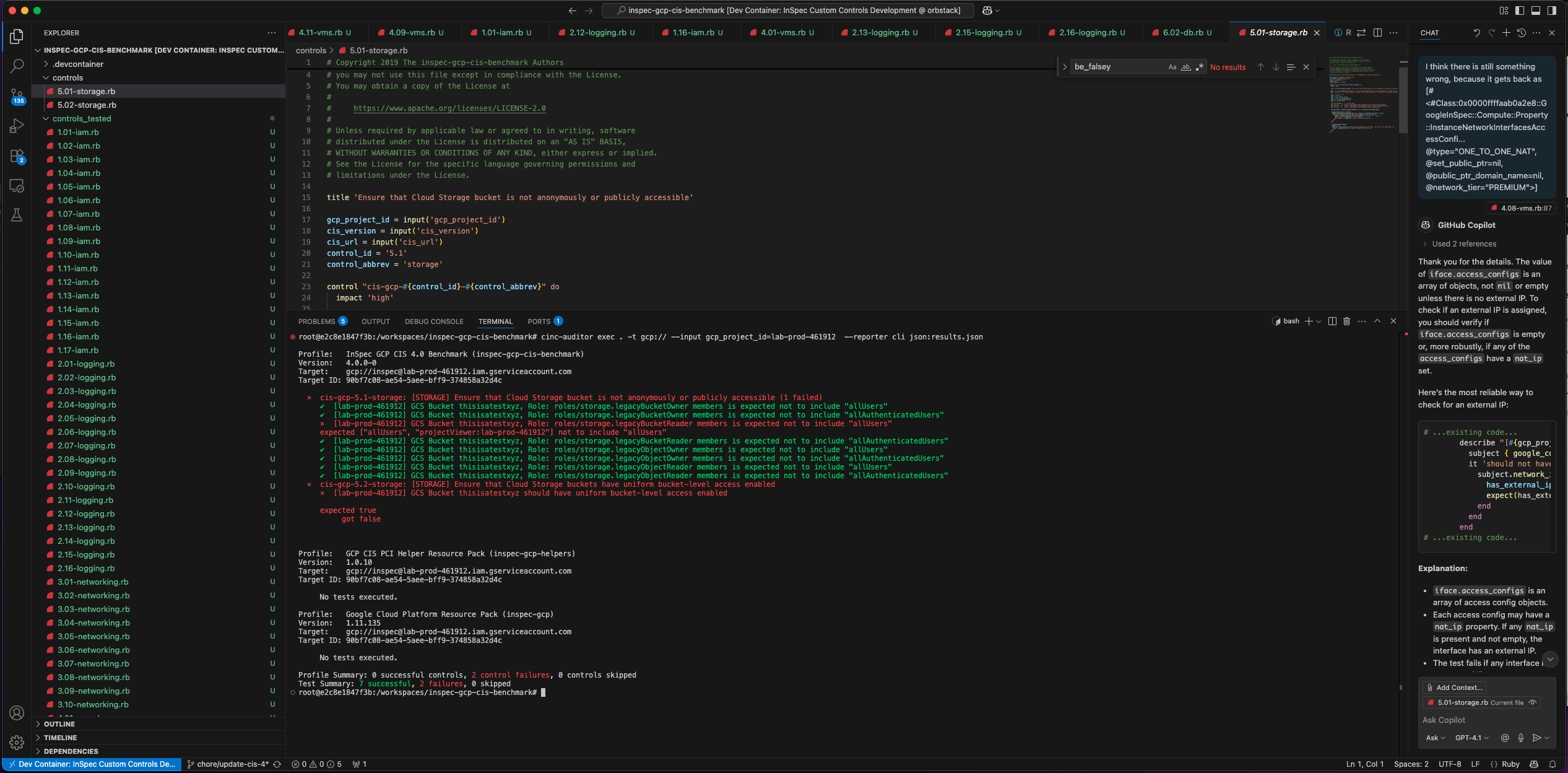
CINC auditor identified the public GCP bucket
How-To Guide: Running Our First Audit
Let’s get this running, but first some prerequisites. Prerequisites: You’ll need a few things on your Google Cloud Shell, local machine or a CI/CD runner:
- InSpec/CINC & Ruby: In order to run our controls we’ll need InSpec installed, as well as Ruby, which InSpec is based on. Instead of using vanilla InSpec, I opted for the compatible open source CINC project, which is a free for any use alternative to the commercial InSpec framework.
- InSpec GCP Resource Pack: The resource pack provides a programmatic way of accessing the GCP resources and their properties from InSpec.
- GCP Authentication: Your machine needs to be authenticated. The easiest way is via the gcloud CLI. The user or service account will need viewer-like permissions on the projects you want to scan.
Basic Setup using Google Cloud Shell
Open the CIS Benchmark in a new Google Cloud Shell by clicking on the following link.
➡️ Open in Google Cloud Shell: https://console.cloud.google.com/cloudshell/open?git_repo=https://github.com/lxndrblz/inspec-gcp-cis-benchmark&page=editor&tutorial=walkthrough.md
You might have to confirm that you trust the repository, as it does not come from Google officially. Confirm to open the Repository in Google Cloud Shell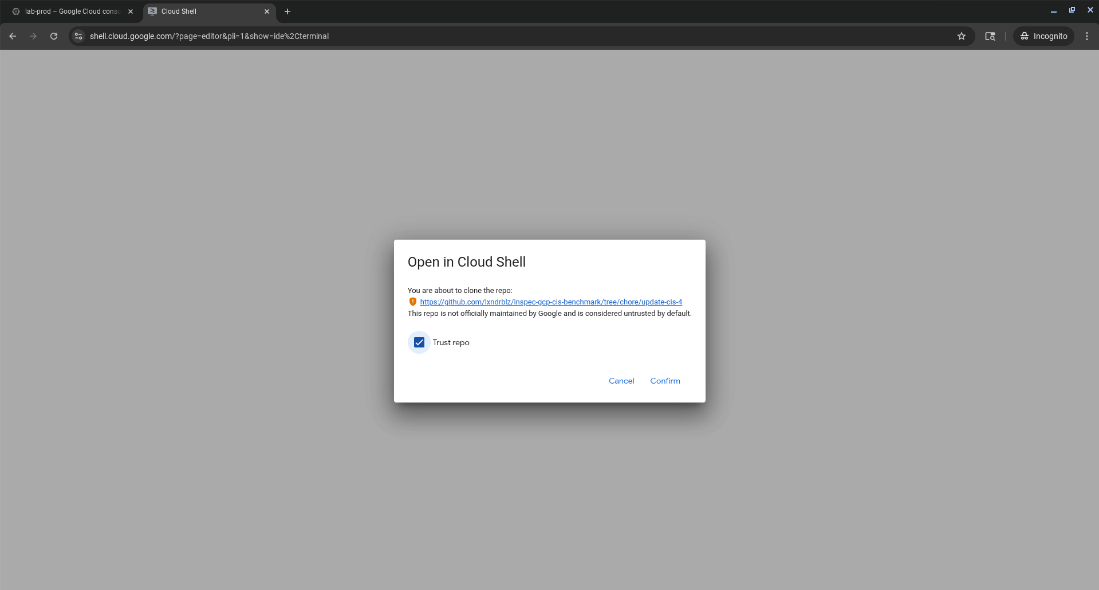
Next, we install the latest cinc-auditor binary from Ruby Gems.
| |
We can check that everything is correctly installed, by running a quick version command.
| |
If everything was set up corectly, you should see the CINC version printed in the console.
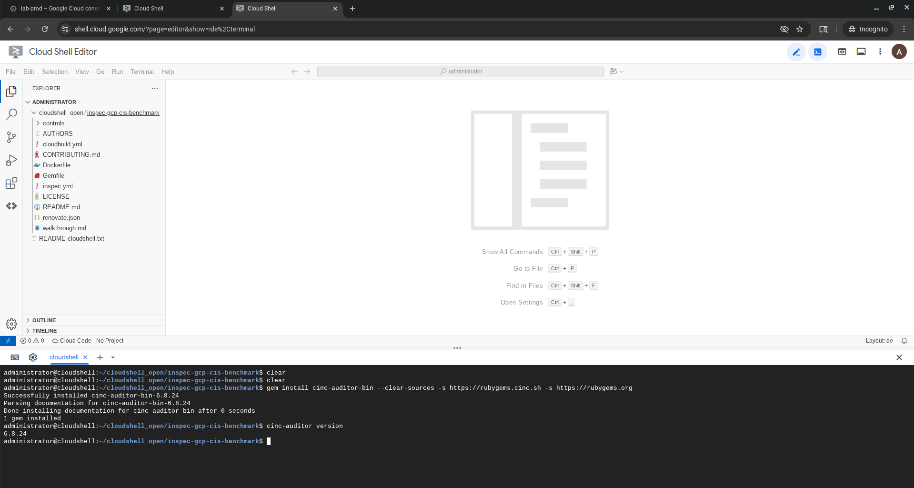
Confirm that CINC auditor has been correctly installed
Furthermore, we need to make sure we’re authenticated to GCP and acquire credentials to use with application default credentials.
| |
Auditing a Single Project using Google Cloud Shell
This is the simplest way to test the profile. Just point inspec exec at the GitHub URL and provide the gcp_project_id as an input.
| |
You’ll get a real-time report in your console showing which controls passed, failed, or were skipped.
Auditing All Projects using Google Cloud Shell
This is the real power. The InSpec GCP backend targets one project at a time, so to scan our whole organization, we just need a simple wrapper script to loop through all our projects. Here is a basic bash script to get you started:
| |
When this script finishes, you’ll have a JSON report for every single project in your organization. From here, you can use tools like jq to query the results or ingest all the JSON files into a SIEM (like Splunk/Elastic) or a compliance dashboard (like Heimdall-Light) for aggregation and tracking.
Limitations and Considerations
While powerful, this approach has a few limitations to keep in mind:
- Permissions: The identity running the scan (ideally a dedicated Service Account) needs sufficient read-only permissions across all projects you want to audit. You can either assign a predefined read-only role or create a custom role with the documented minimum permissions.
- Profile Coverage: The CIS Benchmark is a large and evolving document. This profile covers a significant portion of it, but not 100%. Several checks cannot be automated, due to missing APIs or requiring user inputs. One such case is control 1.02 ‘Ensure that multi-factor authentication is enabled for all non-service accounts’. These controls will be reported as unscored and have to be validated manually.
- Speed: Despite all the automation and caching an InSpec audit still takes time. Scanning a single decent-sized project might take a few minutes, so scanning 1,000 will take a while.
Summary
InSpec fundamentally changes GCP auditing. It moves us from a painful, manual, point-in-time exercise to an automated, continuous, and code-driven process. By combining the inspec-gcp resource pack with a comprehensive profile like the inspec-gcp-cis-benchmark, you can build a robust compliance-as-code framework. This allows you to detect misconfigurations and security drift in near-real-time, providing your teams with fast feedback and your organization with verifiable, continuous compliance.
Check out the repository, give it a try on a dev project, and feel free to file an issue or submit a PR!